I game mostly on my living room setup. My PC and PlayStation 5 are connected to my LG C1 OLED, which is great. The only catch is the TV isn’t always free.
So with how good game streaming has gotten, I started looking into a dedicated device I could stream from my PC, since that’s where most of my gaming happens. The nice thing about PC streaming is the main rig is still doing all the heavy lifting. So I can keep in-game settings high, as long as the network is stable.
There are loads of devices that can handle streaming now, from tablets to phones. But I knew I wanted a proper gaming handheld. Something I could pick up and play without extra attachments or setup every time. Basically what the PlayStation Portal is to the PlayStation 5. And since I wasn’t planning on bringing it out a lot, I wanted a handheld with a bigger screen. 7-inch was my personal minimum. Any smaller and I find UI elements in some modern games a little difficult to read (looking at you, Death Stranding). Also, if it wasn’t too expensive, an OLED panel was the ideal. True blacks, vibrant colors, high contrast. It’s really hard to go back once you’ve gotten used to it.
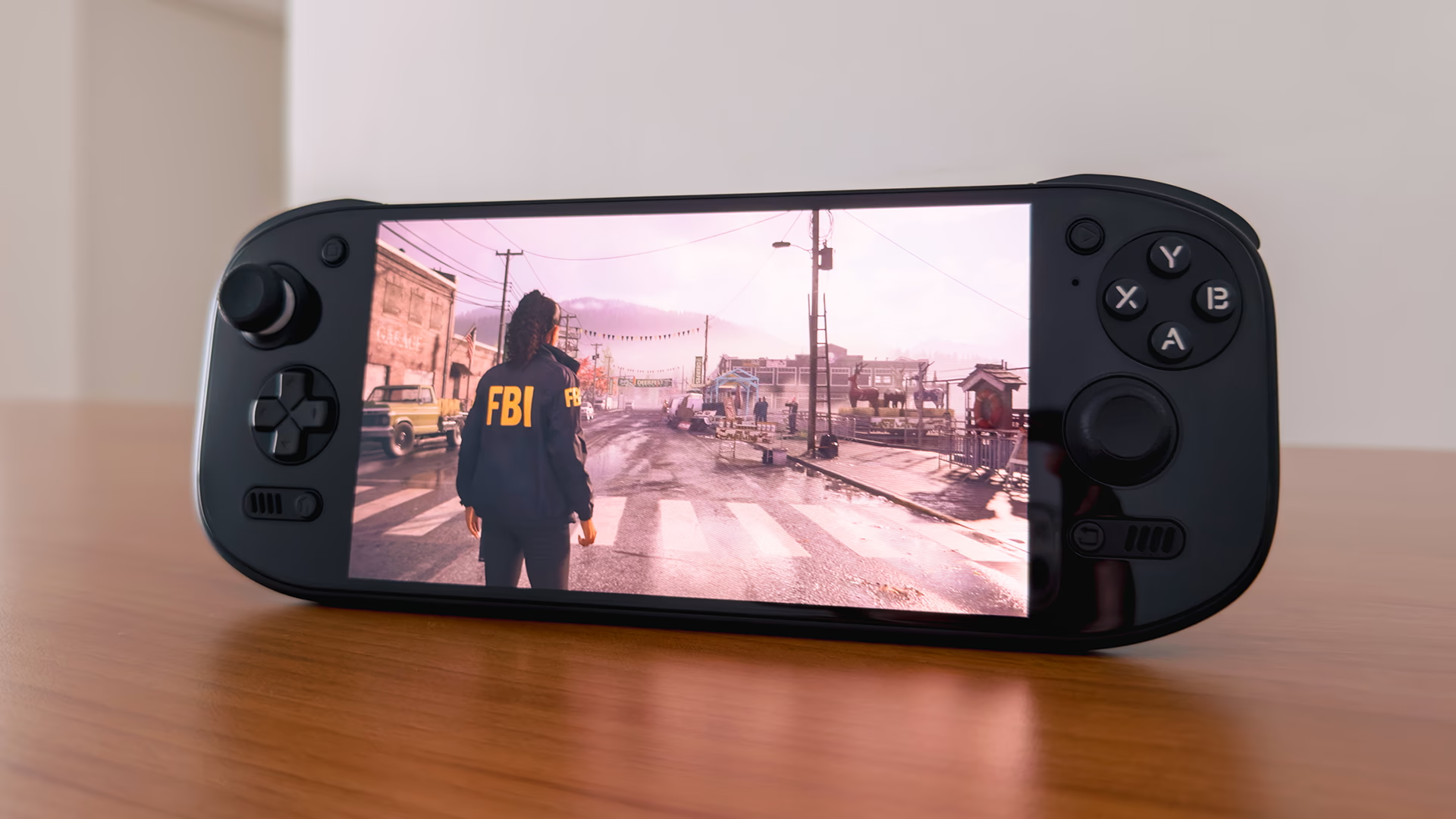
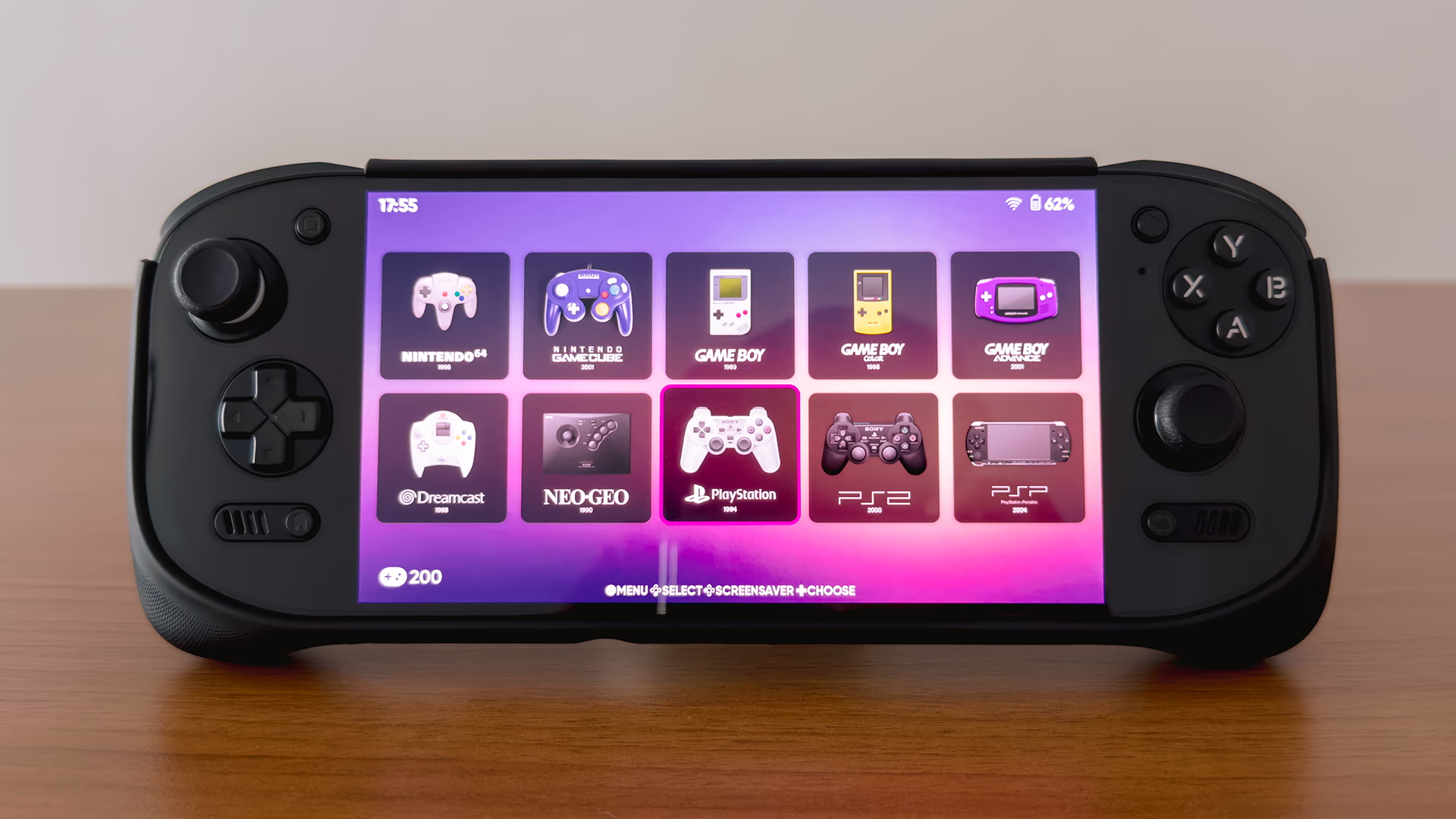
After some research, I ended up going with the AYN Odin 2 Portal Pro. For my use case, the Base model was actually enough. But I chose the Pro for a bit of future-proofing. And having used it for a while now, I can comfortably recommend it. It does exactly what I bought it for, while being capable enough that it’s become much more than just a streaming handheld.

TECH SPECS
Note: The Max model is really only worth considering if you plan to run local PC games on Android, where the extra RAM matters more. Also, if you’re planning to use lots of texture packs for emulation, or install larger native Android games, I’d suggest at least the Pro. The higher internal storage helps, since those can’t go onto an SD card.
REVIEW WORTH CHECKING OUT
A comprehensive review by the retro handheld GOAT himself.
Why I Recommend It
IT FEELS PREMIUM
The build quality is genuinely great, and the all-glass front is a big part of that. I know it’s polarizing. Many handheld enthusiasts prefer a more plastic, retro-looking device. At least that’s the vibe I got. Personally, I prefer the glass. On the black model, there’s a nice bonus too. With the OLED panel, any black bars from non-16:9 content just disappear into the device. And that 7-inch 120Hz OLED… man, I appreciate it every single time I turn it on.
PERFORMANCE IS TOP TIER
Game streaming aside, the Snapdragon 8 Gen 2 makes the Odin 2 Portal a very capable gaming device. It can handle high-end Android games and even up to Switch emulation. I don’t do any of that since I don’t play Android games and I already have a Switch OLED, but it’s nice knowing the headroom is there.

BATTERY LIFE HAS BEEN EXCELLENT
I didn’t do any proper testing, but battery life has been really good in my day-to-day. Streaming doesn’t take much. And the heaviest thing I throw at it is PS2 emulation. For my use, it’s the kind of battery life where I don’t feel the need to keep checking the percentage. No battery anxiety.
COMFORT, WITH THE GRIP
For someone with medium hands, I find it very comfortable. But that’s with the official grip. The weight is around Switch OLED territory, and I can do long sessions without feeling like my wrists are paying for it.
THE SETUP WAS FUN (IF YOU’RE INTO THAT)
Because it’s Android, there’s a lot of tinkering you can do. Setting up emulators, a frontend, and getting everything just right. I genuinely enjoyed that part. But I know this won’t apply to everyone. It takes a bit of patience to get the most out of an Android device like this.
What I Don't Like
To be honest, I don’t really have any major complaints, but if I had to nitpick, it’s the analog stick caps. They’re a little small. It doesn’t bother me too much, but it’s worth pointing out.
AYN does sell larger stick caps, but I just used Skull & Co (Savage Raven) thumb grips designed for the Switch. They fit great, and added enough height and width for me.

A Few Things Worth Setting Up
If you've just picked up the Odin 2 Portal, there are a couple of things I'd suggest looking into.
SCREEN SATURATION
Out of the box, the colours can skew a little oversaturated. I've covered how I approached this here.
STICK SENSITIVITY
The default joystick sensitivity is noticeably higher than what you'd get on a standard controller. Adjusting it takes a few steps:
- Go to your Android Settings > Odin Settings > Joystick Calibration & Gamepad Test > Gamepad Test.
- Long press and release the on-screen stick indicator. Tap Adjust Joystick Sensitivity and bring it down to 0.80, which I find closest to how a standard controller feels. Do this for both the left and right sticks.
Closing Thoughts
Overall, the Odin 2 Portal has pretty much nailed what I wanted it for. A proper streaming handheld with a big OLED screen. Everything else, the performance headroom, battery life, and overall build quality, just adds to it.
It’s why I have no trouble recommending it, especially if streaming and emulation are what you’re primarily looking for. It’s not perfect, but for the way I play, it’s been a really solid fit.
Where to Buy
Changelog
MAY 7, 2026
- added "A Few Things Worth Setting Up" section
FEB 5, 2026
- published post